Create Engaging Videos Without Breaking the Bank: Your Guide to Affordable AI Video Generation
Struggling to create professional videos without a huge budget? This guide explores how affordable AI video generation tools can help you produce engaging content quickly and cost-effectively.
11 min read · August 30, 2026
The high cost of traditional video production and the expense of subscribing to multiple specialized AI tools are significant barriers for small businesses, marketers, and creators looking to produce engaging video content regularly. Many creators find themselves juggling separate subscriptions for AI writing, AI voiceovers, and AI image or video generation, leading to a complex and costly workflow. This patchwork approach often eats into budgets that could be better spent elsewhere, hindering consistent content creation.
What is Affordable AI Video Generation?
Affordable AI video generation refers to the process of creating video content using artificial intelligence tools that are accessible and cost-effective, especially when compared to traditional methods or fragmented AI solutions. The key to affordability often lies in integration and efficiency. When multiple AI creative functions - such as writing scripts, generating voiceovers, creating visuals, and editing - are housed within a single platform, it dramatically reduces the need for multiple subscriptions and streamlines the entire production pipeline. This integrated approach means you're not paying for separate services; instead, you access a comprehensive suite of tools under one umbrella, often with tiered pricing that allows you to scale your usage and investment as your needs grow. The goal is to democratize video creation, making it achievable for a wider range of users regardless of their budget.
Key Features for Budget-Friendly Video Creation
Several AI capabilities contribute to making video generation more affordable and efficient. When evaluating AI video solutions, look for these core features that directly impact cost and workflow:
AI Video Generation
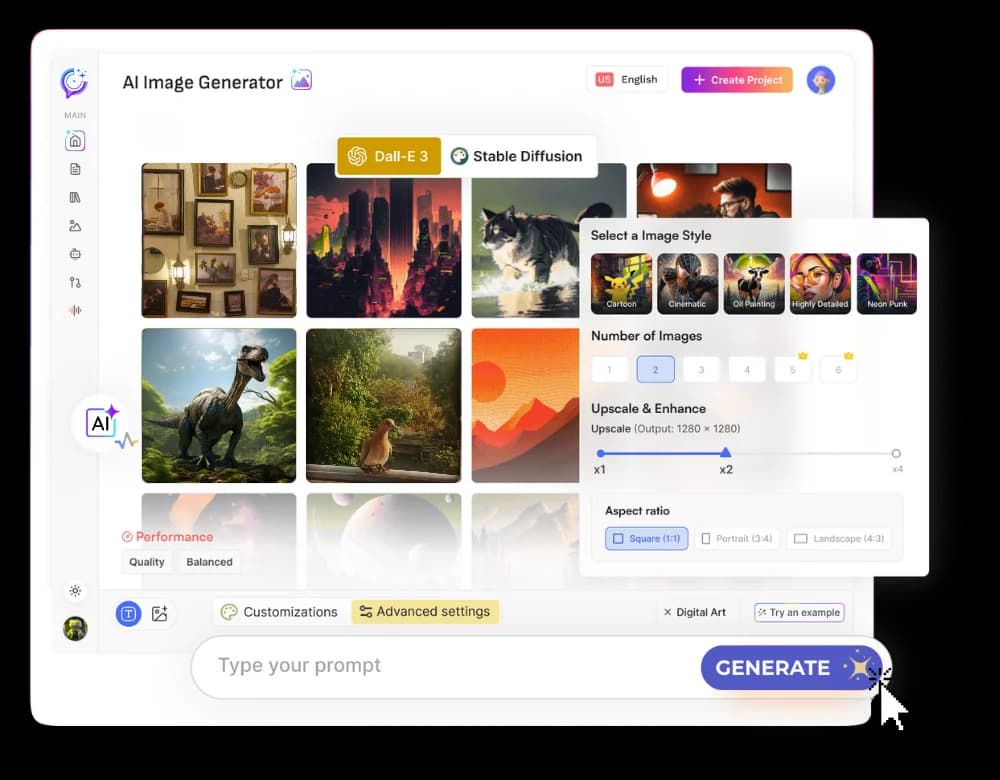
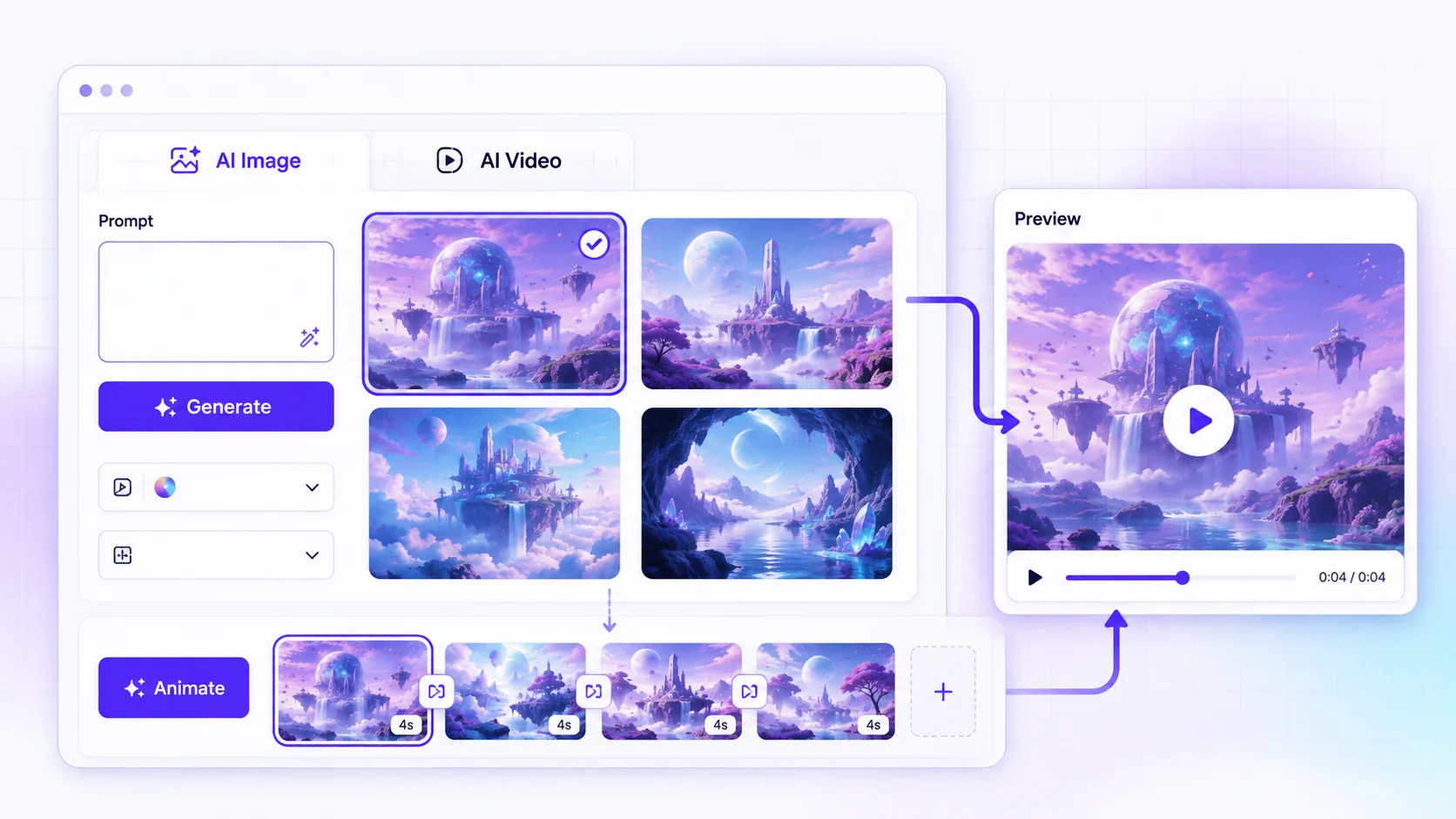
This is the core technology that allows you to create video clips from text prompts, existing images, or even short video inputs. An affordable AI video generator uses AI models to synthesize new video footage, animations, or scenes. This eliminates the need for expensive camera equipment, studio rentals, or stock footage subscriptions for many common use cases. The ability to generate visuals on demand, tailored to your specific script or concept, is a major cost saver. You can explore the capabilities of AI Video to see how it translates ideas into visual form.
AI Avatars
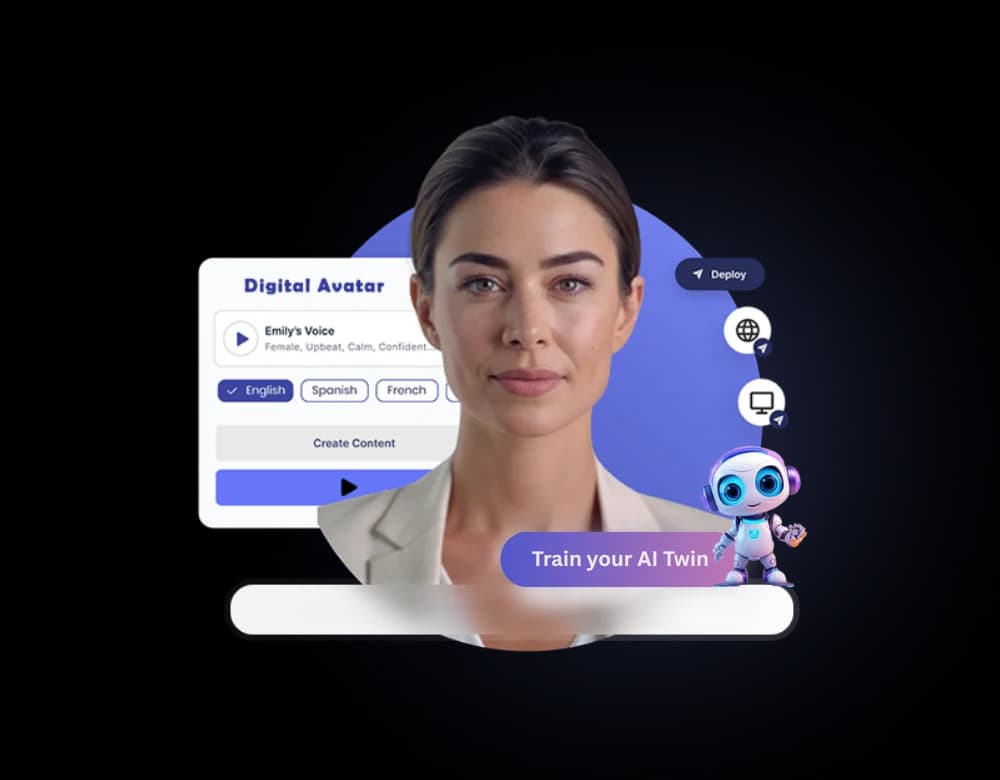
For content that requires a presenter but lacks the budget for actors, studios, or complex filming, AI avatars are a powerful solution. These are digital representations of people that can deliver scripts with realistic lip-syncing and natural-sounding voiceovers. Many platforms offer a selection of pre-made avatars or allow you to create custom ones. This is particularly useful for explainer videos, e-learning modules, or corporate communications. For instance, the ability to use AI Avatars can significantly reduce production costs associated with human presenters. You can learn more about how these digital presenters work in articles discussing AI avatars.
Integrated AI Writing and Voiceover Tools
Producing a video often starts with a script and a voiceover. When your video creation tool also includes a powerful AI writer and text-to-speech capabilities, it streamlines the process immensely. You can write your script directly within the platform, then generate a voiceover using a wide range of languages and accents. Having over 150 languages and accents available means you can create content for a global audience without hiring multiple voice actors. This integration prevents the need to export text and audio between different applications, saving time and reducing the chance of errors.
AI Music and Sound Design
Background music and sound effects are crucial for setting the tone and enhancing viewer engagement. AI music generators can create original soundtracks tailored to the mood and length of your video, often royalty-free. Similarly, AI tools for sound isolation can clean up audio by removing background noise, improving the quality of your voiceovers without needing expensive audio engineers.
Built-in Editing and Rendering
The ability to edit video directly within the AI studio is a significant advantage. Instead of exporting raw footage to separate editing software, you can arrange scenes, add text overlays, incorporate graphics, and fine-tune audio all in one place. This integrated editing environment, coupled with efficient rendering capabilities, speeds up the post-production process and reduces the learning curve associated with complex video editing suites.
Workflow: From Concept to Final Video on a Budget
Creating professional-looking videos without a large budget is achievable by strategically combining the features of an integrated AI creative studio. Here’s a step-by-step workflow:
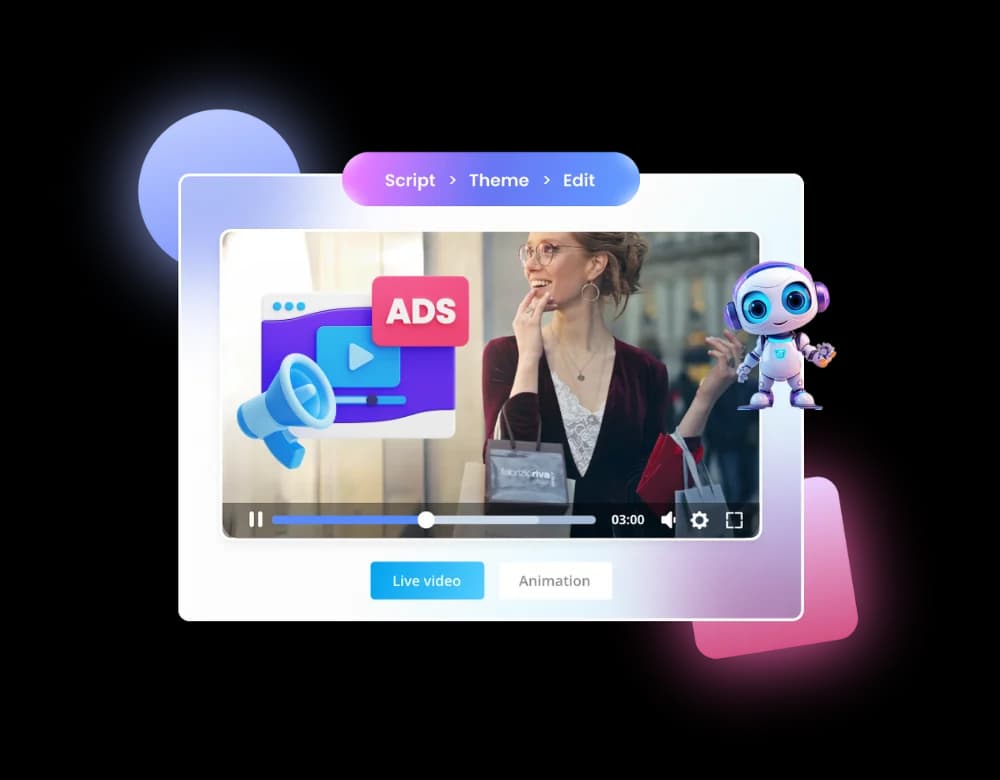
Step 1: Scripting with AI Writer Start by outlining your video's message and objectives. Then, use the AI writing editor to draft your script. You can input keywords, a brief topic, or even an existing piece of text to be repurposed. The AI writer can help brainstorm ideas, structure your narrative, and refine your language for clarity and impact. For example, if you’re producing video ads, the AI can help craft compelling copy within seconds.
Step 2: Generating Voiceover Once your script is finalized, select a voice from the available options. With over 50 studio-grade voices and support for 150+ languages and accents, you can find the perfect vocal style for your content. Input your script into the text-to-speech tool and generate the audio file. If you need a specific tone or accent, explore the diverse range of options.
Step 3: Creating Visuals with AI Video and Avatars This is where the core of video generation happens.
- Using AI Video: If your video requires dynamic scenes or animations, use the AI video tool. Provide descriptive text prompts (e.g., "a bustling city street at sunset, cinematic shot") and let the AI generate the footage. You can experiment with different prompts to achieve the desired visual style.
- Using AI Avatars: For presenter-led content, choose an AI avatar. Select a character that fits your brand and the video’s tone. Upload your generated voiceover, and the AI will animate the avatar to speak your script, ensuring realistic lip-sync. This is a fantastic way to add a human element without filming.
Step 4: Assembling and Editing Import your AI-generated video clips, avatar scenes, and voiceover into the integrated editing suite. Arrange the elements on your timeline. Add background music generated by the AI music tool. Use the text overlay features to add titles, lower thirds, or calls to action. You can also incorporate any existing graphics or logos you have. The smart editor helps refine the flow and pacing of your video.
Step 5: Refining Audio and Visuals If your voiceover has any background noise, use the AI Voice Isolator to clean it up. You can also use the Sound Studio features to mix audio levels, ensuring the voiceover is clear and the music complements, rather than distracts from, the narration. Review your video for any visual glitches or pacing issues and make adjustments as needed.
Step 6: Rendering and Exporting Once you are satisfied with the edit, render your final video. The platform will process your project into a shareable video file. Choose the appropriate resolution and format for your intended platform, whether it's social media, your website, or a presentation.
This integrated workflow minimizes the need to switch between multiple applications, saving significant time and reducing the overall cost of production.
Choosing the Right AI Video Solution for Your Budget
When selecting an AI video generation solution, understanding the pricing structures and features offered at different tiers is crucial. The value of an integrated suite becomes apparent when comparing it to the cumulative cost of separate specialized tools.
Tiered Pricing Models: Most AI creative studios offer various plans to accommodate different user needs and budgets. These typically range from free or basic plans with limited features and usage quotas to more advanced plans with higher limits and premium capabilities.
- Free/Basic Plans: Often suitable for individuals just starting or for occasional use. These plans might offer a limited number of words for AI writing, characters for voiceover, or visual credits per month. They are a great way to test the waters without financial commitment.
- Mid-Tier Plans (e.g., AI Basic, AI Explorer, AI Plus): These plans significantly increase usage quotas for writing, voice, and visuals. They often unlock more advanced features like AI avatars, integrations (like WordPress publishing), and priority rendering. These are ideal for small businesses or creators producing content more regularly. The AI Explorer plan, for example, includes AI Avatars and WP Integration, which are valuable for content creators.
- Advanced/Pro Plans (e.g., AI Pro): Designed for heavy users, agencies, or businesses with extensive video production needs. These plans offer the highest usage limits, access to custom AI models, fine-tuning capabilities, and dedicated support.
The Value of an All-in-One Studio: Subscribing to a single, comprehensive AI creative studio, such as Textalky, offers distinct financial advantages over assembling a toolkit from various providers. Instead of paying monthly fees for a separate AI writer, an AI voice generator, an AI image tool, and an AI video editor, you consolidate these costs into one subscription. This not only saves money but also simplifies management and streamlines your workflow, as highlighted in discussions about an all-in-one AI creative studio versus managing multiple tools.
Special Offers and Lifetime Deals: Keep an eye out for special promotions. For example, Textalky periodically offers discounted annual plans, like the AI Explorer for one year at $49, which can provide substantial savings compared to the regular monthly rate. Additionally, Textalky has offered, and is bringing back, a lifetime deal. This one-time purchase can offer exceptional long-term value, providing access to the studio's tools for a single payment. For the most current information on pricing, including any special offers or lifetime deal details, it's always best to visit the pricing page or the special offer page.
When choosing a plan, assess your current content creation needs and project volume. Consider starting with a lower tier and upgrading as your requirements and budget allow. The flexibility of tiered plans ensures you’re not overpaying for features or limits you don’t currently need.
Maximizing Value: Tips for Cost-Effective Video Production
To get the most out of your AI video generation tools and keep costs low, consider these practical strategies:
- Master Prompt Engineering: The quality of your output from AI tools, especially for video generation, heavily depends on your input prompts. Be specific, descriptive, and experiment with different phrasing. Clearly define the style, mood, action, and camera angles you desire. This reduces the need for multiple revisions and saves rendering credits.
- Leverage Templates and Presets: Many AI studios offer custom templates or presets for various video types (e.g., social media posts, explainer videos, presentations). Using these as a starting point can significantly speed up your workflow and ensure a polished look without starting from scratch.
- Repurpose and Reuse Assets: Don't reinvent the wheel for every video. Reuse successful script elements, voiceovers, visual styles, or avatar performances across different projects where appropriate. This saves generation time and credits. Consider creating a library of your best AI-generated assets.
- Understand Your Plan Limitations: Be aware of the usage quotas for your chosen plan (writing words, voiceover characters, visual credits, transcription minutes). Monitor your usage to avoid unexpected overages, which can incur additional costs or halt your production. Plan your content calendar around these limits.
- Batch Your Work: Group similar tasks together. For instance, write several scripts at once, then generate all the necessary voiceovers, and finally, create the visuals. Batch processing can improve efficiency and help you manage your creative flow more effectively.
- Prioritize Essential Features: For budget-conscious users, focus on the core features that deliver the most value for your specific needs. If your primary goal is explainer videos, prioritize AI avatars and text-to-speech. If you need dynamic visuals, focus on the AI video generation capabilities.
- Utilize Free Trials and Basic Plans: Before committing to a paid plan, take full advantage of any free trials or the AI Free plan. This allows you to explore the platform's functionalities and determine if it meets your expectations without any financial risk.
By implementing these tips, you can significantly enhance the cost-effectiveness of your video production process, allowing you to create engaging content consistently and affordably.
Frequently Asked Questions
What makes AI video generation affordable?
AI video generation becomes affordable primarily through integration and automation. Instead of paying for separate specialized tools for scripting, voiceover, visuals, and editing, an all-in-one AI creative studio combines these functions under a single subscription. This reduces the number of paid services required. Furthermore, AI automates many time-consuming and resource-intensive aspects of video production, such as filming, animation, and voice acting, thereby lowering both the financial and time investment needed to create professional-quality content.
Can I create professional-looking videos with affordable AI tools?
Yes, you can create professional-looking videos with affordable AI tools. Modern AI video generators, especially those integrated into comprehensive creative studios, offer sophisticated features like realistic AI avatars, dynamic scene generation from text prompts, studio-quality AI voices in numerous languages, and built-in editing capabilities. While the absolute highest echelon of Hollywood production might still require traditional methods, for most small business, marketing, and content creation needs, AI tools can produce polished, engaging, and professional videos that meet industry standards.
What are the essential AI features for budget-friendly video creation?
For budget-friendly video creation, the essential AI features include:
- AI Video Generation: The core ability to create video clips from text or images.
- AI Avatars: For presenter-led content without human actors.
- AI Writing and Voiceover: Integrated tools for script creation and text-to-speech narration.
- AI Music and Sound Design: To add background audio and enhance production value.
- Integrated Editing: A user-friendly interface to assemble and refine all elements.
Having these features within a single platform, rather than subscribing to them individually, is key to achieving affordability and efficiency.
Creating compelling video content no longer requires a massive budget or a complex workflow. By understanding the capabilities of affordable AI video generation and choosing an integrated creative studio, you can produce high-quality videos efficiently.
If you're looking for a comprehensive solution that brings together AI writing, voice, video, and more under one roof, consider exploring Textalky. It's worth comparing their offerings to see how an all-in-one approach can streamline your creative process and save you money compared to managing multiple separate tools.
Start creating your engaging videos today. Sign up for Textalky and experience the power of an all-in-one AI creative studio. Sign Up Now
Ready to try it yourself?
Create a free Textalky account - no credit card required - and put this into practice.
Start creating for free