AI Image Generator from Image: Transform Your Visuals
Discover how to leverage an AI image generator from an image to transform your existing visuals. Create unique art and designs from your photos with this powerful technology.
10 min read · September 4, 2026
You have a collection of images. Perhaps they are personal photos, existing marketing collateral, or even artwork you created yourself. You see potential in them, a starting point for something new, but the leap from "existing image" to "unique visual asset" feels like a hurdle. You might not have the graphic design expertise, the software, or simply the hours required to manually transform these visuals into something fresh and compelling. You need a way to breathe new life into your current assets, generating novel visuals that go beyond simple edits.
This is precisely where an AI image generator from image comes into play.
What is an AI Image Generator from Image?
An AI image generator from image, often referred to as "image-to-image" generation, is a powerful tool that uses an existing visual as a foundation for creating new imagery. Unlike standard text-to-image models that conjure visuals solely from written descriptions, image-to-image generators take a picture you provide and use it as a blueprint.
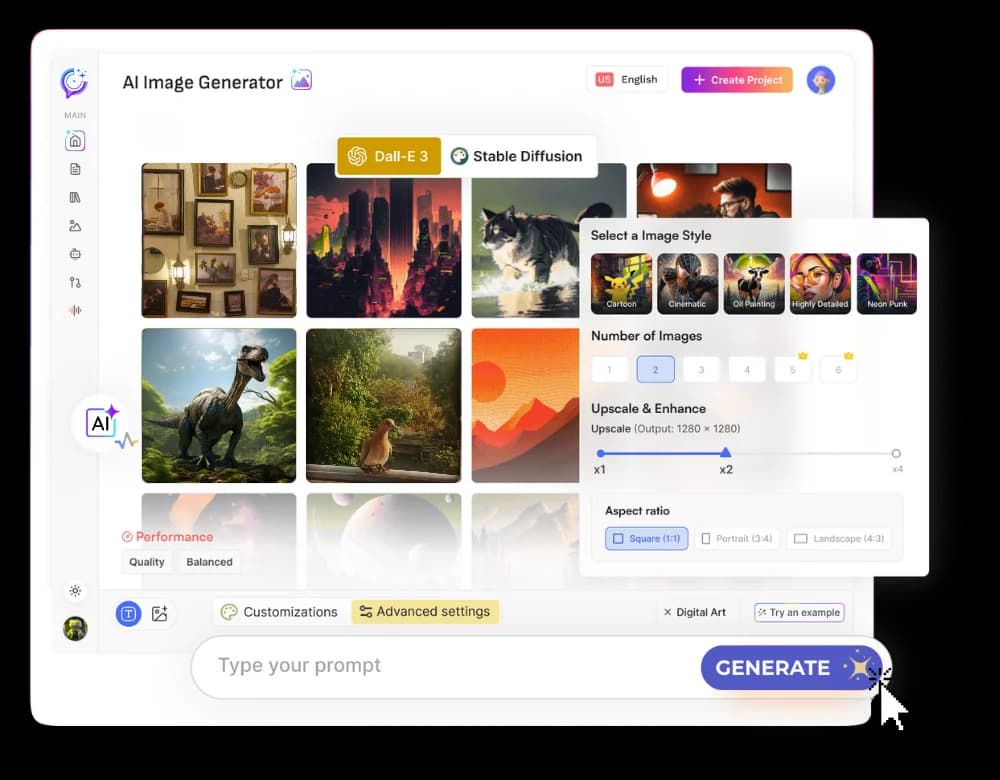
Think of it like an artist looking at a sketch and then painting a detailed masterpiece based on its lines and forms. The AI analyzes the structure, colors, and composition of your input image. Then, guided by your prompts or specific parameters, it can alter that image, apply a new style, expand upon it, or transform it into something entirely different. This capability is a significant evolution from basic AI Image tools, offering a more nuanced and creative approach to visual content creation. For a deeper dive into the broader world of AI image generation, you might find our guide, AI Image Generator: From Prompt to Publish-Ready Visuals, helpful. You can explore Textalky's comprehensive AI Image capabilities as part of its integrated studio.
How Image-to-Image AI Generation Works
The magic behind image-to-image AI generation lies in sophisticated deep learning models, often diffusion models or Generative Adversarial Networks (GANs). Here's a simplified breakdown of the process:
- Image Interpretation: When you upload an image, the AI model processes it. It breaks down the visual information into a format it can understand, identifying key elements, shapes, textures, and color palettes. This is akin to the AI "seeing" the core essence of your picture.
- Prompt or Parameter Guidance: This is where you direct the AI. You might provide a text prompt describing the desired outcome (e.g., "turn this photo into a Van Gogh painting," or "make this sketch look like a watercolor"). Alternatively, you might adjust parameters like style strength, noise levels, or color adjustments. These instructions tell the AI how to modify the input image.
- Generative Process: The AI then begins generating a new image. For diffusion models, this often involves a process of adding and then refining noise, guided by both the input image's latent representation and your prompt. The AI iteratively reconstructs the image, gradually shaping it according to your instructions while maintaining some structural or thematic connection to the original visual. GANs, on the other hand, involve a generator network creating images and a discriminator network trying to distinguish them from real images, leading to increasingly realistic outputs.
- Output and Iteration: The result is a new image that is inspired by or directly derived from your original. The process is often iterative; you might generate an image, see how it turned out, refine your prompt or parameters, and generate again until you achieve the desired result. This allows for a high degree of creative control and exploration.
Creative Use Cases for Image-to-Image AI
The ability to use an existing image as a starting point unlocks a vast array of creative possibilities for content creators, designers, marketers, and hobbyists.
- Style Transfer: This is perhaps the most popular application. You can take a photograph and apply the artistic style of a famous painting, a specific art movement, or even a cartoon. Imagine turning your product photos into stylized illustrations or giving your personal portraits a painterly feel.
- Image Upscaling and Enhancement: While not strictly "generation," some image-to-image tools can intelligently upscale low-resolution images, adding detail and clarity that traditional resizing methods cannot achieve. They can also be used to denoise images or restore old photographs.
- Creating Variations: Need multiple versions of a visual asset? Upload an image and generate variations on a theme. This is incredibly useful for A/B testing marketing materials or exploring different aesthetic directions for a project.
- Concept Art and Storyboarding: For illustrators and concept artists, image-to-image generation can rapidly produce initial visual ideas based on rough sketches or reference images, speeding up the ideation phase.
- Marketing and Advertising Assets: Imagine transforming a basic product shot into a dynamic graphic for social media ads, or creating unique backgrounds for website banners. This capability is invaluable for generating eye-catching visuals for campaigns, including elements for automated video ads.
- Artistic Exploration and Personal Projects: For artists and hobbyists, it’s a playground. Experiment with surreal transformations, create unique digital art pieces, or simply have fun seeing your photos interpreted in unexpected ways. You can even use it to generate character concepts that you might later bring to life with AI Avatars.
- Repurposing Content: Take a screenshot from a video, a photo from a blog post, or a diagram, and use it as a base to create a new visual for a different platform or purpose. This extends the life and reach of your existing content.
- Generating Textures and Patterns: Upload a small texture or pattern and use image-to-image generation to create larger, seamless versions or variations for use in graphic design or 3D modeling.
- Character Design: Designers can use a rough character sketch or even a photo of a person as a base and prompt the AI to render it in different styles, outfits, or fantasy settings.
Choosing the Right AI Image Generator for Your Needs
With the growing popularity of AI image generation, many tools are available. When selecting one, especially for image-to-image capabilities, consider these factors:
- Quality of Output: Does the tool consistently produce high-resolution, aesthetically pleasing images? Look for examples and reviews.
- Control and Customization: How much control do you have over the generation process? Can you fine-tune parameters, use specific prompts, and guide the AI effectively?
- Ease of Use: Is the interface intuitive? A complex tool can hinder creativity.
- Speed and Performance: How long does it take to generate an image? For busy creators, speed is a significant factor.
- Variety of Tools: Does the platform offer more than just image generation? An all-in-one studio can streamline your workflow. This is where a tool like Textalky shines, integrating AI writing, voice, and video creation alongside visual tools.
- Pricing and Value: What are the costs associated with the service? Consider free trials, subscription tiers, and one-time purchase options.
While many platforms offer image-to-image functionality, it's worth comparing your options. For a comprehensive creative suite that includes robust AI image generation, Textalky offers a compelling alternative to juggling multiple subscriptions. You can explore all plans and current pricing to find the best fit for your needs.
Currently, Textalky features a highly attractive AI Lifetime Pro offer, providing lifetime access to its full suite of tools for a single, one-time payment. This deal includes advanced image generation capabilities and a host of other AI creative tools, making it an exceptional value for anyone looking to invest in their content creation toolkit.
Getting Started with Textalky's AI Image Tools
Using Textalky's AI Image feature to generate visuals from an existing image is designed to be straightforward, integrating seamlessly into your creative process.
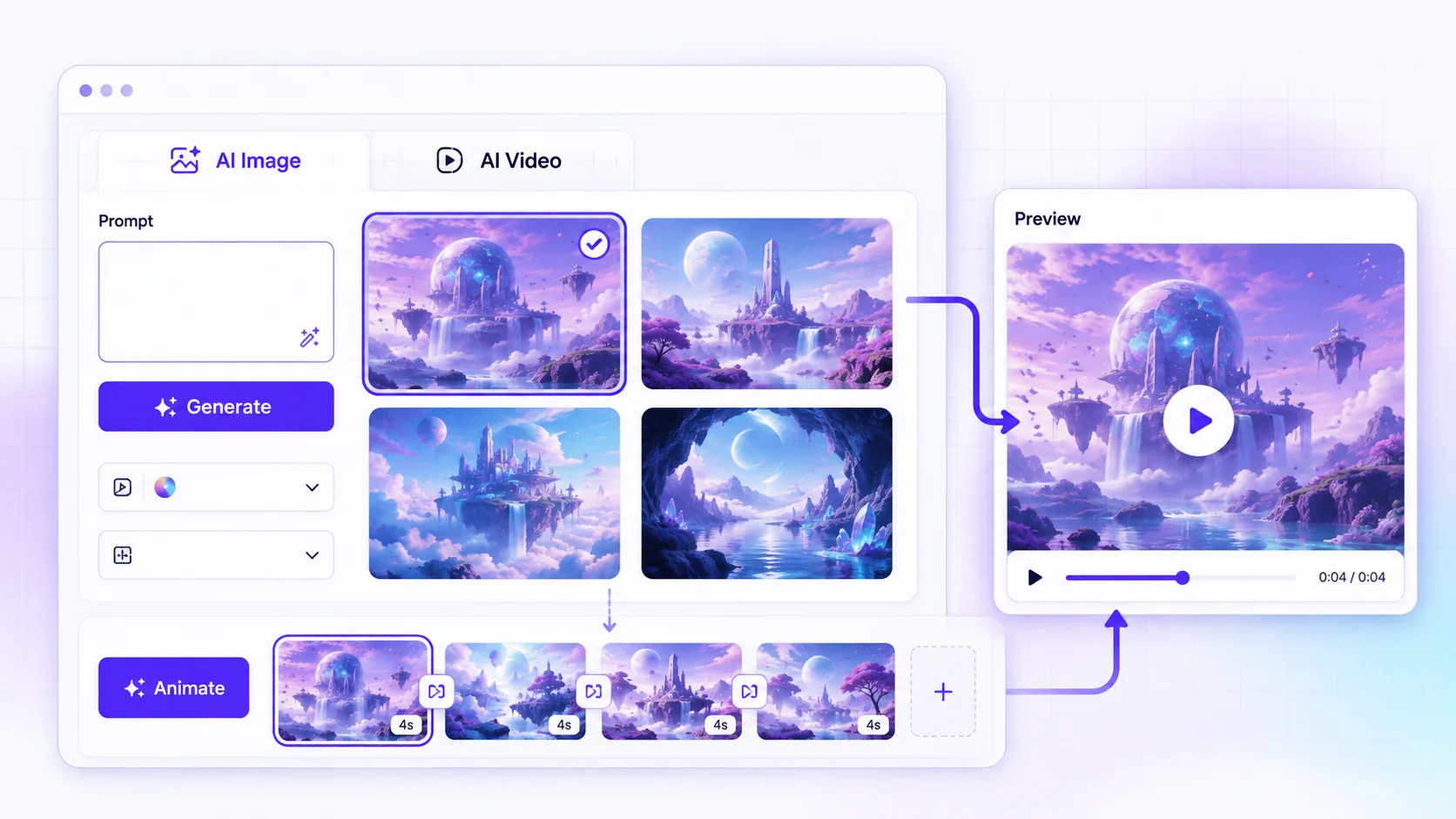
- Access the AI Image Tool: Log in to your Textalky account. Navigate to the AI visual creation section and select the "AI Image" tool.
- Upload Your Base Image: Within the AI Image interface, you'll find an option to upload your starting image. This could be a photograph, a sketch, a digital artwork, or any visual you wish to transform.
- Input Your Prompt: Write a descriptive text prompt that guides the AI on how to modify your uploaded image. Be specific about the style, elements, or changes you want. For example, if you uploaded a photo of a dog and want it rendered as a fantasy creature, your prompt might be: "A majestic dragon with the same pose as the dog, scales shimmering, in a mystical forest."
- Adjust Parameters (Optional): Depending on the tool's settings, you may have options to control aspects like style strength, aspect ratio, or even the level of variation. Experiment with these to fine-tune your results.
- Generate and Iterate: Click the generate button. The AI will process your input image and prompt to create a new visual. Review the output. If it's not quite right, adjust your prompt or parameters and generate again. Textalky's studio also offers other visual tools, such as AI Avatars, which you can explore for different creative avenues.
Maximizing Your Results: Tips and Best Practices
To get the most out of image-to-image AI generation, consider these tips:
- Be Specific in Your Prompts: The more detail you provide about the desired style, subject, mood, and elements, the better the AI can interpret your vision. Instead of "make it art," try "render this landscape in the style of impressionist oil painting, with vibrant brushstrokes and a soft, hazy atmosphere."
- Understand Your Input Image: The AI will try to retain some essence of the original. If your input image is blurry, the output might also have a softer focus unless your prompt explicitly calls for sharpness. If the image has a strong composition, the AI might try to maintain a similar structure.
- Experiment with Different Styles: Don't be afraid to try unusual style combinations. Upload a photo of a modern building and prompt it to be rendered in a medieval woodcut style, or vice versa.
- Use Negative Prompts (if available): Some tools allow you to specify what you don't want in the image (e.g., "no text," "no extra limbs"). This can help refine the output.
- Iterate and Refine: The first generation is rarely perfect. Use the results as a stepping stone. Tweak your prompt, change a parameter, or even try a slightly different input image based on what you learned from the initial output.
- Consider Aspect Ratios: Ensure your desired output aspect ratio is set correctly before generation, especially if you have specific layout needs.
- Leverage the All-in-One Approach: Tools like Textalky allow you to move fluidly between image generation, AI writing (using the AI Writer), and other content creation tasks. This integrated workflow can spark new ideas and streamline your entire creative process.
Frequently asked questions
Can I use any image as input for an AI image generator?
Generally, yes. Most AI image generators that support image-to-image functionality will accept a wide range of image formats (like JPG, PNG). However, the quality and complexity of the input image can significantly impact the output. Clearer, higher-resolution images often yield better results. Some platforms may have restrictions on content that violates their terms of service, such as explicit or copyrighted material.
What's the difference between text-to-image and image-to-image AI generation?
The core difference lies in the primary input.
- Text-to-image generation starts with a text prompt and creates an image from scratch based solely on that description.
- Image-to-image generation uses an existing image as a base or reference. The AI then modifies or transforms this image according to a text prompt or specific parameters, retaining elements of the original visual's structure, composition, or color.
How can I ensure the AI-generated image matches my desired style?
Achieving a specific style relies heavily on your prompt engineering and understanding the AI's capabilities.
- Descriptive Style Keywords: Use precise terms in your prompt. Instead of "cartoon," try "Pixar-style animation," "vintage comic book art," or "anime sketch."
- Artist or Movement References: Mentioning specific artists (e.g., "in the style of Van Gogh") or art movements (e.g., "Art Deco poster") can guide the AI.
- Style Strength Parameters: If the tool offers it, adjust parameters that control how strongly the AI adheres to the input image versus the prompt's stylistic instructions.
- Reference Images (if supported): Some advanced tools allow you to upload a separate style reference image, which the AI uses as a stylistic guide without necessarily incorporating its content.
- Iteration: Generate multiple variations and select the one that best captures your desired style, or use it as a new base for further refinement.
Transforming your existing visuals into something new and unique no longer requires a steep learning curve or expensive software. AI image generators from image offer a powerful, accessible way to repurpose your assets, explore new creative directions, and produce compelling visuals efficiently.
For creators looking to integrate this capability into a broader AI toolkit, Textalky provides an all-in-one solution. You can explore its comprehensive features and see how image generation fits alongside AI writing, voice, and video tools.
To experience the full potential of AI creative tools with exceptional value, consider exploring Textalky's AI Lifetime Pro offer. This one-time purchase grants you lifetime access to the complete studio, including advanced image generation, and is currently the featured promotion. Discover how this integrated suite can elevate your content creation by visiting the AI Lifetime Pro deal page.
Ready to try it yourself?
Create a free Textalky account - no credit card required - and put this into practice.
Start creating for free