AI Text to Image: Your Guide to Stunning Visuals
Turn your imagination into reality with AI text-to-image tools. This guide explores how to generate stunning visuals from simple text prompts and find the right creative studio for your projects.
9 min read · September 4, 2026
The demand for unique, high-quality visuals for marketing, social media, and presentations is constant. Yet, many creators and marketers struggle to produce these images quickly and affordably, especially without advanced design skills or expensive software. This is where AI text-to-image technology steps in, offering a powerful solution to visualize concepts rapidly.
What is AI Text to Image Technology?
AI text-to-image technology is a fascinating branch of artificial intelligence that allows users to generate visual content from textual descriptions. At its core, it involves sophisticated AI models, often trained on vast datasets of images and their corresponding text captions, that learn to understand the relationship between words and visual elements. When you provide a text prompt, the AI interprets your description and synthesizes a new image based on its learned patterns.
This technology is rapidly growing in importance for content creation. It democratizes visual production, enabling individuals without traditional artistic training to bring their ideas to life. The ability to generate custom visuals on demand, tailored to specific needs, is transforming how businesses and individuals approach their creative output. For a deeper dive into how these tools work, explore our guide on AI Image Generator: From Prompt to Publish-Ready Visuals.
The Power of Prompt Engineering
The quality of the image you generate is directly tied to the quality of your text prompt. This is known as prompt engineering, and mastering it is key to unlocking the full potential of AI image generators. A well-crafted prompt acts as a detailed brief for the AI.
When writing your prompts, consider these elements:
- Subject: Clearly define the main focus of the image. Be specific. Instead of "a dog," try "a golden retriever puppy."
- Style: Specify the artistic style you want. Examples include "photorealistic," "impressionistic painting," "cyberpunk," "watercolor," "3D render," or "anime."
- Mood/Atmosphere: Describe the feeling you want the image to evoke. Words like "serene," "chaotic," "joyful," "mysterious," or "nostalgic" can guide the AI.
- Lighting: Lighting significantly impacts an image. Consider terms like "golden hour light," "dramatic studio lighting," "soft natural light," "neon glow," or "moonlit."
- Composition and Details: You can suggest camera angles ("wide shot," "close-up"), aspect ratios, and specific details ("wearing a red scarf," "with intricate filigree").
- Negative Prompts: Many AI image tools allow you to specify what you don't want in the image. This is crucial for refining results. For example, if you're generating a landscape and don't want people, you might use a negative prompt like "no people, no figures."
Example of Good vs. Bad Prompts:
- Bad Prompt: "A cat."
- Result: Likely a generic cat image, with no specific style or context.
- Good Prompt: "A fluffy Siamese cat with striking blue eyes, sitting on a velvet cushion in a sunlit Victorian library, photorealistic style, warm ambient lighting, shallow depth of field."
- Result: A much more specific, nuanced, and aesthetically pleasing image that aligns with the detailed description.
Another example:
- Bad Prompt: "A futuristic city."
- Result: A generic, possibly bland depiction.
- Good Prompt: "A sprawling cyberpunk city at night, with towering neon-lit skyscrapers, flying vehicles leaving light trails, a gritty, rain-slicked street in the foreground, cinematic lighting, ultra-detailed, 8k resolution."
- Result: A vivid, atmospheric image with a distinct visual identity.
Use Cases for AI-Generated Images
The applications for AI text-to-image technology are vast and span numerous industries. The primary benefits are speed, cost-effectiveness, and the ability to create highly customized visuals that might be difficult or expensive to obtain through traditional means.
- Marketing and Advertising: Generate eye-catching ad creatives, social media posts, banner ads, and promotional materials. You can quickly test different visual concepts without lengthy design cycles.
- Blogging and Content Creation: Create unique featured images for blog posts, infographics, or website banners. This ensures your content stands out visually.
- Presentations and Reports: Design compelling visuals for business presentations, internal reports, or client proposals to better illustrate data and ideas.
- Concept Art and Design: Artists and designers can use AI to rapidly prototype ideas, explore different styles, and generate inspiration for characters, environments, or product designs.
- E-commerce: Produce product mockups, lifestyle shots, or variations of product imagery for online stores.
- Personal Projects: Create custom artwork, illustrations for personal projects, or unique graphics for social media profiles.
The speed at which these images can be generated is a significant advantage. What might take hours or days with a graphic designer can often be accomplished in minutes with AI. This efficiency directly translates into cost savings, especially when compared to hiring designers for every visual need. For a detailed look at how AI compares to traditional methods, see our AI vs Traditional Content Creation: Cost and Time Comparison article.
Choosing the Right AI Image Generator
With the proliferation of AI tools, selecting the right one can feel overwhelming. Several factors should guide your decision:
- Image Quality and Realism: Does the tool produce visually appealing and coherent images?
- Customization Options: How much control do you have over the output through prompts and settings?
- Ease of Use: Is the interface intuitive, or does it require a steep learning curve?
- Speed of Generation: How quickly can you get results?
- Cost: What are the pricing models, and do they fit your budget?
- Features: Does it offer advanced features like style control, upscaling, or variations?
Many tools focus solely on image generation. However, the reality of content creation often involves more than just visuals. You might need compelling text, engaging voiceovers, or even video. This is where an all-in-one solution becomes incredibly valuable.
Textalky distinguishes itself by offering a comprehensive suite of AI creative tools, including advanced AI image generation, all within a single platform. Instead of managing multiple subscriptions for different creative tasks, Textalky consolidates writing, voice, video, and image creation, streamlining your workflow significantly.
Textalky's AI Visual Creation Suite
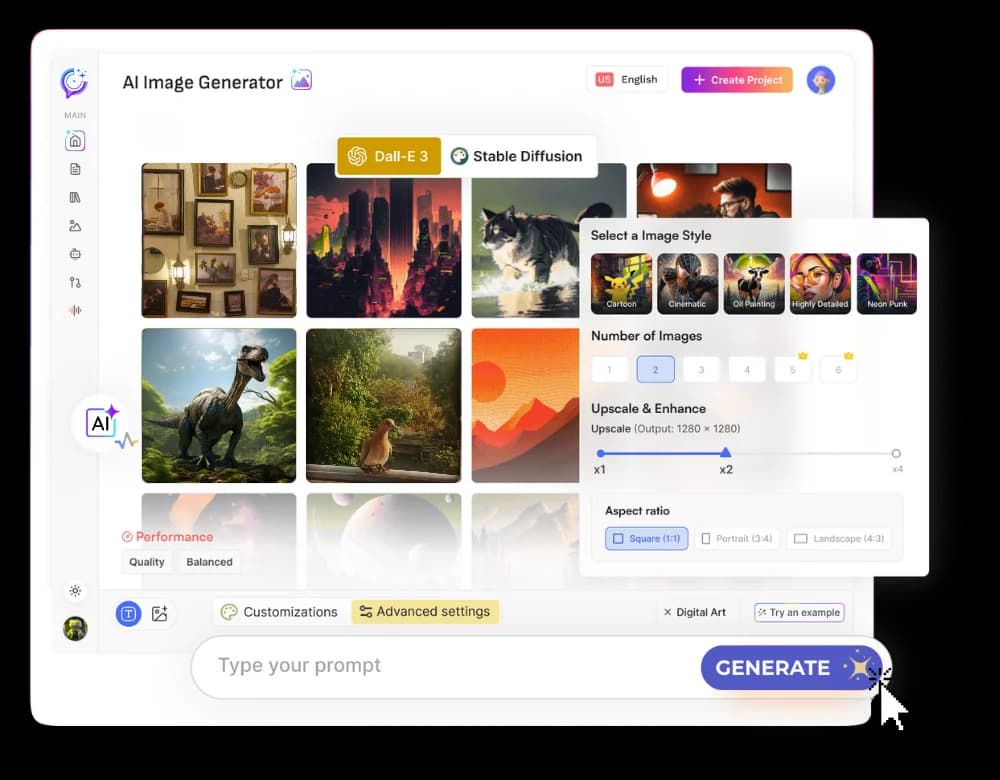
Textalky's commitment to being a complete creative studio is evident in its robust AI Visual Creation Suite. The AI Image tool is designed to empower users with the ability to translate text into stunning visuals quickly and efficiently.
Leveraging advanced AI models, Textalky's AI Image tool allows you to:
- Generate Unique Images: Input your text prompts and watch as the AI conjures original artwork.
- Experiment with Styles: Explore a wide range of artistic styles to match your brand or project aesthetic.
- Refine with Detail: Craft precise prompts to achieve the exact look and feel you desire.
- Iterate Quickly: Generate multiple variations of an image to find the perfect fit.
Beyond static images, Textalky also offers related visual tools to enhance your content further:
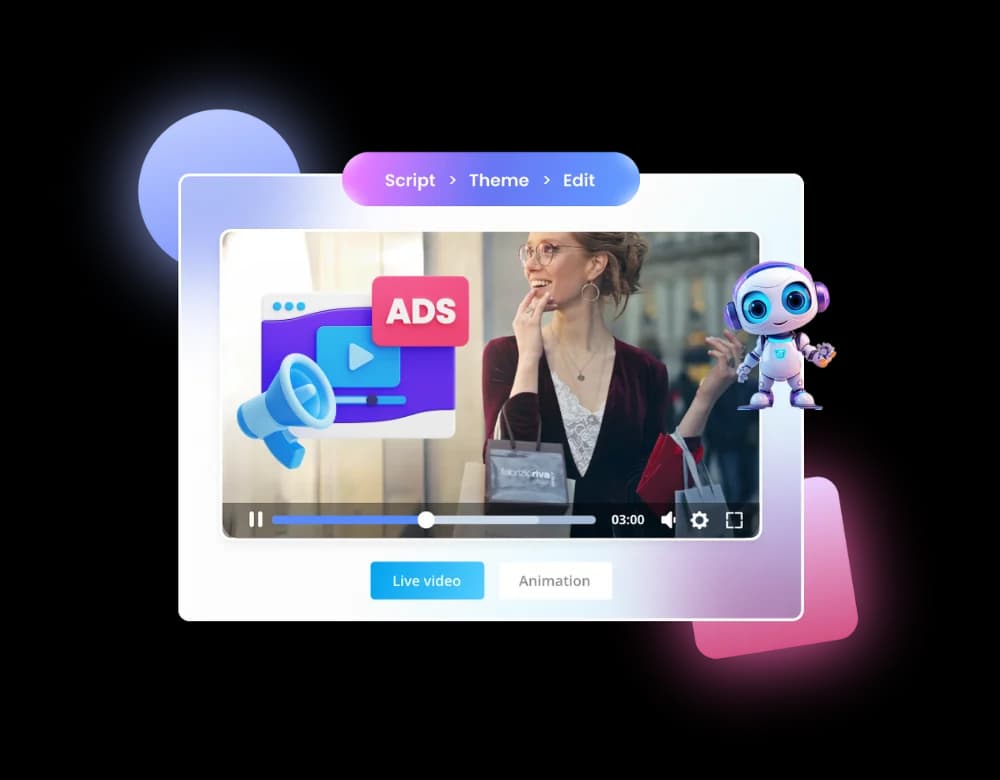
- AI Video: Create engaging video content from text, transforming your ideas into dynamic visual narratives.
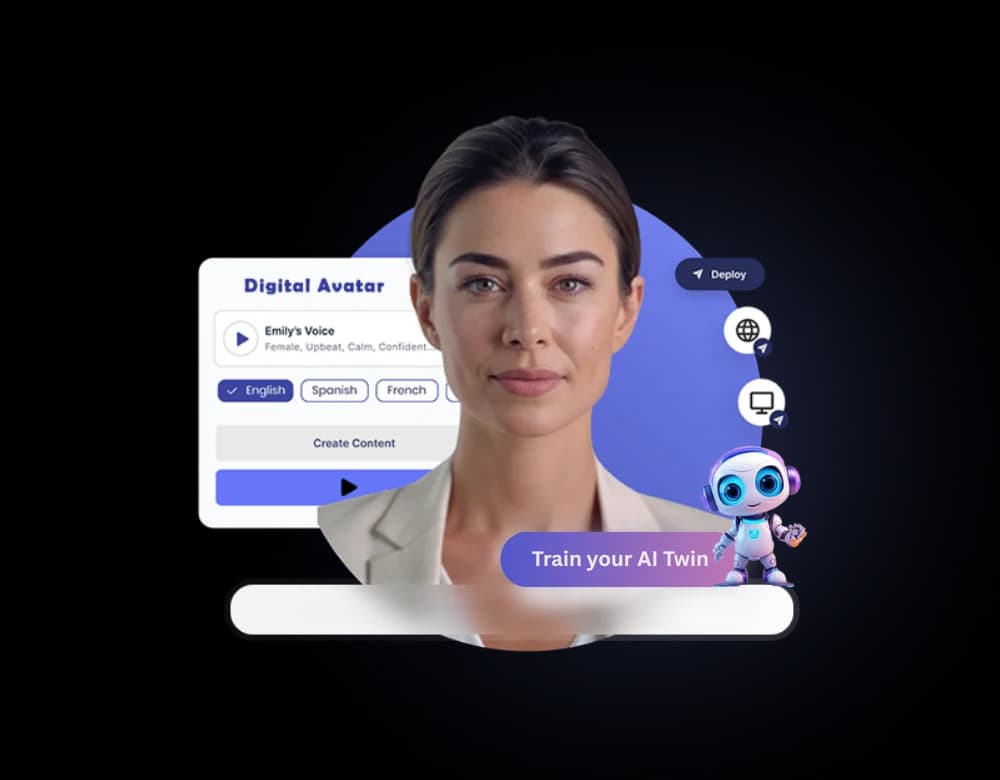
- AI Avatars: Bring characters to life with AI-powered avatars that can be used in videos or other digital applications.
These visual tools are integrated into the broader Textalky ecosystem, meaning you can seamlessly move from generating text for a blog post to creating its featured image, and then perhaps an accompanying video, all within one interface.
Beyond Images: A Complete Creative Studio
The true power of Textalky lies in its philosophy of consolidation. In today's demanding content landscape, juggling multiple software subscriptions and platforms for different creative needs is inefficient and costly. You might find yourself paying separately for an AI writer, a text-to-speech tool, an image generator, and a video editor.
Textalky breaks this cycle by offering an all-in-one AI creative studio. This means you get access to over 20 AI tools under a single subscription. Imagine generating an article with the AI Writer, producing a voiceover with AI Voiceover, creating custom images with AI Image, and even generating a short video with AI Video - all without leaving the Textalky platform.
This integrated approach offers several key advantages:
- Cost Savings: Consolidating tools eliminates the need for multiple monthly or annual subscriptions, leading to significant savings.
- Streamlined Workflow: A unified interface means less time spent switching between applications, uploading/downloading files, and managing different accounts.
- Enhanced Creativity: The synergy between different tools allows for more complex and cohesive projects. For instance, you can generate an image, then use AI Voiceover to narrate a description of it, and finally incorporate both into a video.
- Consistency: Maintain a consistent brand voice and visual style across all your content when using integrated tools.
This unified approach contrasts sharply with stacking individual, single-purpose tools, which often leads to fragmentation and higher overall costs. Explore the benefits of this integrated model in our article, All-in-One AI Creative Studio vs. Stacking Separate Tools.
Pricing and Offers
Textalky offers flexible pricing plans designed to suit various needs, from individuals to professional teams. The value proposition is clear: replace multiple expensive subscriptions with one affordable, comprehensive solution.
Here are Textalky's current pricing plans (as of August 2026):
- AI Free - Month-to-month rate: $0 - Total price for one year: $0
- AI Basic - Month-to-month rate: $6 per month - Total price for one year: $59 for the year
- AI Explorer - Month-to-month rate: $12 per month - Total price for one year: $129 for the year
- AI Plus - Month-to-month rate: $29 per month - Total price for one year: $229 for the year
- AI Pro - Month-to-month rate: $79 per month - Total price for one year: $649 for the year
Beyond these standard plans, Textalky offers a remarkable AI Lifetime Pro deal. For a single, one-time payment of $79, you gain lifetime access to every tool in the studio. This includes extensive monthly quotas for writing words, voiceover characters, media credits, and transcription minutes. This offer represents exceptional value, providing ongoing access to all Textalky's creative capabilities without recurring fees. It is a limited-time promotion, so exploring it now is highly recommended. You can find more details about Textalky's pricing structure on the dedicated page.
For those who prefer a subscription model or have specific needs not covered by the lifetime deal, the annual plans offer substantial savings compared to monthly payments. The AI Free plan is also a great way to start, offering a taste of Textalky's capabilities with generous limits for basic use.
Frequently asked questions
How does AI turn text into images?
AI text-to-image models are trained on massive datasets of images paired with descriptive text. Through this training, they learn complex patterns and associations between words and visual concepts, styles, and elements. When you provide a text prompt, the AI analyzes your input, breaks it down into components it understands, and then uses its learned knowledge to synthesize a new image pixel by pixel, aiming to match your description as closely as possible.
What makes a good prompt for AI image generation?
A good prompt is specific, descriptive, and provides context. It includes details about the subject, desired artistic style, mood, lighting, and any specific elements you want to include or exclude (using negative prompts). The more detailed and clear your prompt, the better the AI can interpret your vision and generate a relevant, high-quality image.
Can AI generate images for commercial use?
Generally, yes. Images generated by AI tools like Textalky can typically be used for commercial purposes, subject to the specific terms of service of the platform. Textalky's terms of service outline the usage rights for content generated on its platform. It's always advisable to review the terms to ensure compliance, especially for critical commercial applications.
What is the best all-in-one AI studio for image creation and more?
For creators seeking an integrated solution that combines AI image generation with writing, voice, and video tools, Textalky stands out. Its all-in-one approach consolidates over 20 AI tools into a single interface, streamlining workflows and offering significant cost savings compared to managing multiple separate subscriptions. The AI Lifetime Pro deal, in particular, provides exceptional ongoing value.
Ready to transform your creative process? Textalky offers a powerful, integrated suite of AI tools, including a remarkable AI image generator, to bring your ideas to life. To experience the best value and gain lifetime access to all features, explore the AI Lifetime Pro deal today.
Ready to try it yourself?
Create a free Textalky account - no credit card required - and put this into practice.
Start creating for free