
Build a Thriving YouTube Channel Without Showing Your Face: AI Tools to Guide You
Discover how AI tools can help you build a successful YouTube channel without ever needing to show your face. This guide covers everything from content creation to video production.
10 min read · August 31, 2026
Build a Thriving YouTube Channel Without Showing Your Face: AI Tools to Guide You
Many aspiring creators dream of building a successful YouTube channel, but the thought of being on camera can be a significant barrier. Whether it's privacy concerns, a lack of confidence, or simply not having the right equipment, the pressure to appear on screen can stop promising ideas before they even begin. Fortunately, the rise of AI has opened up a powerful new avenue for content creation: the faceless YouTube channel. This approach allows you to focus entirely on delivering value through your content, using sophisticated AI tools to handle the heavy lifting of scriptwriting, narration, and visual production.
This article provides a practical roadmap for building a thriving faceless YouTube channel, from initial concept to published video, by leveraging the capabilities of modern AI.
Why Go Faceless on YouTube?
The appeal of a faceless YouTube channel is multifaceted. Firstly, it offers a significant boost to privacy. Creators can share their expertise, stories, or creativity without revealing their personal identity, making it an ideal option for those who prefer to keep their professional and personal lives separate.
Secondly, a faceless approach allows the content itself to take center stage. Without a presenter on screen, viewers are more likely to focus on the information, narration, and visuals being presented. This can be particularly effective for educational content, tutorials, documentary-style videos, or explainer videos where clarity and information delivery are paramount.
Finally, faceless channels can often have broader appeal. They can bypass potential biases related to appearance, age, or background, allowing the content to resonate with a wider audience based purely on its merit. Furthermore, the production process can be more streamlined, as you avoid the complexities of filming yourself, managing lighting, and ensuring a consistent on-camera presence.
The AI Toolkit for Faceless Content Creation
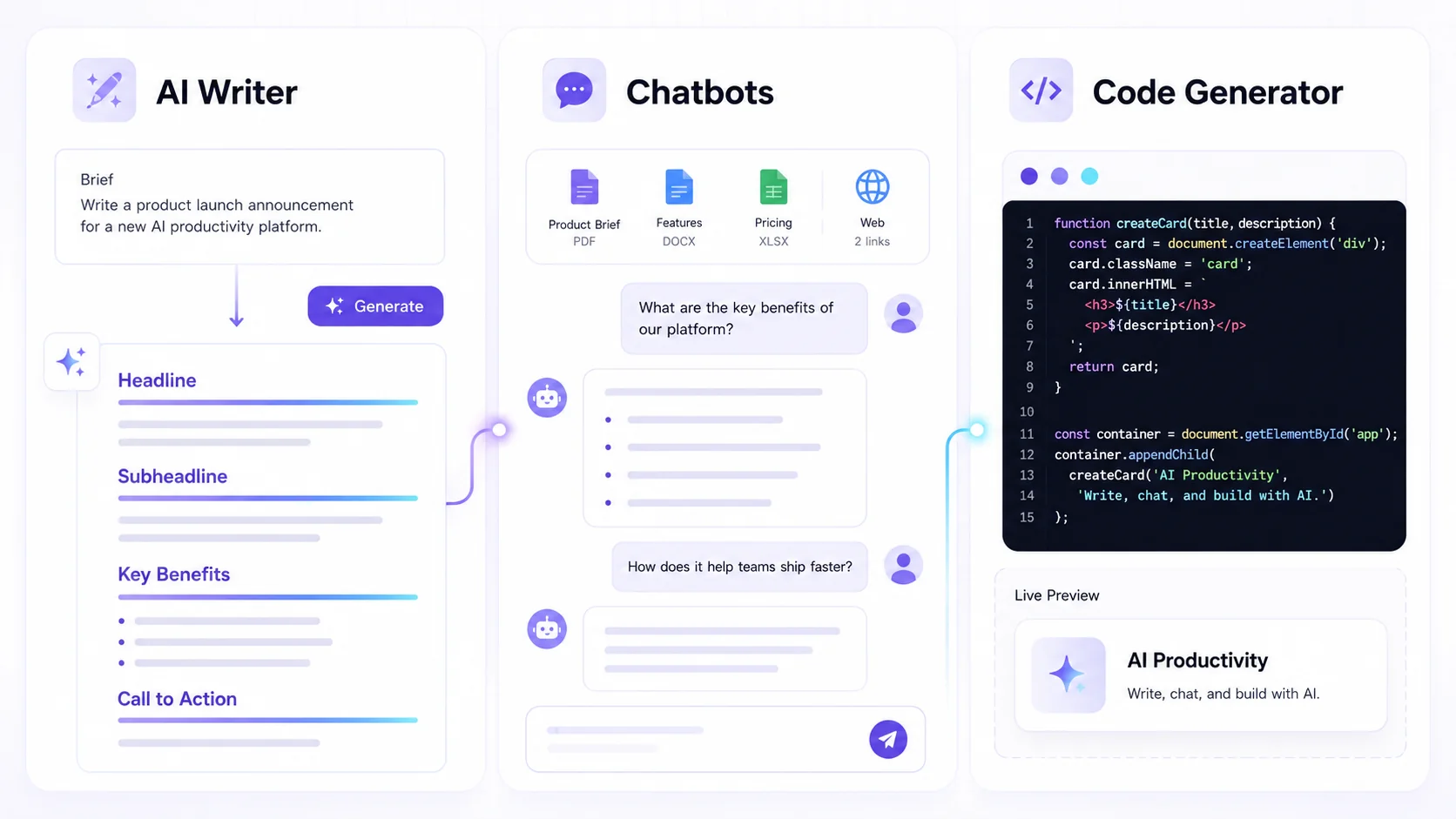
Building a successful faceless YouTube channel relies on a suite of AI-powered tools that can automate and enhance various stages of production. The core functionalities you'll need fall into three main categories:
- Content Generation: This includes AI tools that can help brainstorm video ideas, write scripts, and refine written content.
- Voice and Narration: AI text-to-speech capabilities are crucial for generating voiceovers, and AI voice cloning can add a personal touch or create custom narration.
- Visual Production: AI image and video generation, along with AI avatars, can create compelling visuals that accompany your audio content without the need for traditional filming.
By integrating these AI functionalities, you can construct a complete video production pipeline that is efficient, scalable, and professional, even without ever appearing on camera yourself.
Crafting Compelling Scripts with AI
Writer's block is a common foe for any content creator, but AI writing tools can be invaluable allies in overcoming it. For a faceless channel, a well-written script is the backbone of your video, ensuring clarity, flow, and engagement.
AI writing assistants can help in several ways:
- Idea Generation: Simply input a topic or a few keywords, and AI can suggest numerous video concepts, titles, and angles tailored to your niche.
- Outline Creation: Once you have a topic, AI can generate a structured outline for your video, breaking it down into logical sections and talking points. This provides a solid framework to build upon.
- Script Drafting: The AI can then take this outline and flesh it out into a full video script. You can guide the AI with specific instructions on tone, style, and length. For example, you might ask for a script that is informative, engaging, and around 500 words.
- Content Refinement: If you already have a draft, AI can help you rewrite sections, improve clarity, check for grammar and spelling errors, or even adapt the tone for a different audience.
Using AI writing tools effectively means treating them as collaborators. You provide the direction and critical judgment, while the AI handles the heavy lifting of drafting and expanding on ideas. This process significantly speeds up content creation and ensures your scripts are well-structured and engaging.
Bringing Your Script to Life with AI Voiceovers
A clear, engaging narration is vital for keeping viewers hooked on a faceless channel. AI text-to-speech (TTS) technology has advanced dramatically, offering a wide range of natural-sounding voices that can bring your scripts to life.
Here's how AI voiceovers work and why they are perfect for faceless content:
- Text-to-Speech: You input your finalized script into an AI TTS engine, and it converts the text into spoken audio. You can typically choose from a vast library of voices, each with distinct characteristics, accents, and languages. This means you can select a voice that perfectly matches the tone and style of your video.
- Language and Accent Variety: With over 150 languages and accents available, AI TTS makes it easy to produce content for a global audience or to adopt a specific regional flair.
- AI Voice Cloning: For an even more personalized touch, AI voice cloning allows you to create a synthetic version of your own voice, or another approved voice. This can be useful for maintaining brand consistency if you have a specific vocal identity in mind, or for creating content quickly without needing to record yourself. You can learn more about how to clone your voice with AI on our [blog/blog/how-to-clone-your-voice-with-ai].
- Studio-Grade Quality: Many AI voice platforms offer high-quality audio output that rivals professional voice actors, ensuring your narration sounds polished and credible.
The ability to generate professional-sounding voiceovers on demand, without needing recording equipment or hiring actors, is a cornerstone of efficient faceless YouTube production.
Generating Stunning Visuals Without Filming
While your narration carries the core message, compelling visuals are essential for holding viewer attention on YouTube. AI image and video generation tools have made it possible to create dynamic and engaging visual content without ever needing a camera.
Here are some ways AI can help create visuals for your faceless channel:
- AI Image Generation: Describe the scene or concept you envision, and AI can generate unique images based on your text prompts. This is perfect for creating custom graphics, illustrations, backgrounds, or abstract visuals that directly correspond to your script's content.
- AI Video Generation: More advanced AI tools can create short video clips or animated sequences from text prompts or existing images. This can add movement and dynamism to your videos, making them more visually interesting than a slideshow of static images.
- AI Avatars: For creators who want a visual presence without showing their actual face, AI avatars offer a compelling solution. These are AI-generated digital characters that can speak your script, move, and even display emotions. You can choose from a variety of avatar styles and customize their appearance to match your brand.
- Stock Footage and B-roll: While not strictly AI generation, many platforms integrate AI-powered search for stock footage and images, helping you quickly find relevant visual assets to supplement your AI-generated content.
By combining these AI visual creation capabilities, you can produce a rich and varied visual experience that complements your narration and keeps your audience engaged from start to finish.
Enhancing Audio Quality with AI
Professional audio is as important as engaging visuals for viewer retention. Viewers are quick to click away if the sound quality is poor, filled with background noise, or difficult to understand. AI tools can significantly elevate the audio quality of your faceless YouTube videos.
- AI Voice Isolator: This technology can effectively remove background noise, hums, or other unwanted sounds from your audio recordings, ensuring your narration is clear and crisp.
- AI Music Generation: Create custom background music that perfectly fits the mood and pacing of your video. AI music generators can produce unique tracks based on genre, mood, and tempo specifications, ensuring you avoid copyright issues.
- Sound Studio and Mastering: Advanced audio editing suites, often powered by AI, allow you to mix voiceovers with music and sound effects, adjust levels, and master the final audio for optimal playback across different devices. The Sound Studio feature within Textalky, for instance, provides tools to edit, merge, mix, and master your audio for a professional finish.
Investing in AI-powered audio enhancement ensures your faceless channel sounds as good as it looks, contributing to a polished and professional viewer experience.
Putting It All Together: The Faceless Workflow
Creating a faceless YouTube channel with AI involves a systematic workflow that integrates the various tools discussed. Here's a step-by-step process:
- Concept & Scripting:
- Brainstorm video ideas using AI or your own research.
- Use AI writing tools to generate an outline and then a full script. Refine the script for clarity and engagement.
- Voiceover Production:
- Select an AI voice from your chosen platform.
- Input your script into the AI text-to-speech engine to generate the narration.
- If using voice cloning, ensure your cloned voice is ready.
- Visual Asset Creation:
- Use AI image generators to create custom graphics, backgrounds, or illustrations based on your script's content.
- Generate AI video clips or animations if needed for dynamic sequences.
- Select or create an AI avatar if you prefer a digital presenter.
- Audio Enhancement:
- Import your AI-generated voiceover and any music into an audio editor.
- Use AI tools to remove background noise and improve clarity.
- Mix voiceover, music, and sound effects, and master the final audio track.
- Video Assembly and Editing:
- Import your generated visuals (images, videos, avatar footage) and the mastered audio into a video editing software.
- Synchronize the visuals with the narration. Add text overlays, transitions, and any other on-screen elements.
- Review and make final edits to pacing and flow.
- Export and Publish:
- Export your completed video in a high-quality format suitable for YouTube.
- Upload to YouTube, optimizing your title, description, and tags.
This structured approach, powered by AI at each stage, allows for efficient creation of professional-quality videos without the need for on-camera presence.
Optimizing Your Faceless Channel for Growth
Once your video is created, AI can also assist in optimizing it for visibility and engagement on YouTube.
- Titles and Descriptions: AI writing tools can help craft compelling, keyword-rich titles and descriptions that attract viewers and improve your video's search ranking.
- Thumbnails: AI image generation can be used to create eye-catching thumbnails that stand out in the YouTube feed.
- Content Planning: AI can analyze trends and suggest topics that are likely to perform well, helping you plan your content calendar.
- YouTube Tools: Specific AI YouTube tools can further assist with video optimization, script analysis, and even audience engagement strategies.
By using AI for these crucial optimization steps, you can increase the chances of your faceless content being discovered and enjoyed by a wider audience.
Choosing the Right AI Studio for Your Needs
When embarking on the journey of creating a faceless YouTube channel, you have a choice: either subscribe to multiple individual AI tools for writing, voice, images, and video, or opt for an integrated solution. Stacking individual tools can quickly become expensive and cumbersome, with different interfaces, billing cycles, and limited integration.
An all-in-one AI studio like Textalky consolidates over 20 AI tools into a single platform under one subscription. This means you can access AI writing, AI voiceovers, AI image and video generation, AI avatars, and advanced audio editing without juggling multiple services. The benefits include cost savings compared to separate subscriptions, a unified workflow, and a simpler user experience. For creators looking to streamline their production process and maximize their output, an all-in-one studio presents a compelling advantage.
Textalky offers a comprehensive suite of tools designed to support every aspect of faceless content creation. From crafting engaging scripts and generating realistic voiceovers to producing stunning visuals and mastering audio, it provides a singular platform to build and grow your YouTube channel.
Frequently Asked Questions
What are the main benefits of creating a faceless YouTube channel?
The main benefits include enhanced privacy, allowing creators to share content without revealing their identity. It also enables a stronger focus on the content itself, as the visuals and narration are the primary elements. Additionally, faceless channels can bypass potential biases related to appearance, potentially broadening audience appeal.
How can AI help me create scripts for my YouTube videos?
AI can assist in generating video ideas, creating detailed outlines, drafting full scripts, and refining existing content. By providing prompts and direction, creators can overcome writer's block and develop well-structured, engaging scripts more efficiently.
Can AI generate realistic voiceovers for my videos?
Yes, AI text-to-speech technology can generate highly realistic and natural-sounding voiceovers. Platforms offer a wide selection of voices, languages, and accents, and advanced features like voice cloning allow for personalized narration.
What kind of visuals can I create with AI for a faceless channel?
AI can generate custom images and illustrations from text descriptions, create short video clips or animations, and produce AI avatars that can present your content. This eliminates the need for traditional filming and allows for unique visual content tailored to your script.
Is it possible to edit and master audio for YouTube using AI tools?
Absolutely. AI tools can be used for background noise removal, voice isolation, and creating custom background music. Advanced audio editing suites, often incorporating AI, allow for mixing, mastering, and refining audio to achieve a professional sound quality suitable for YouTube.
Ready to build your faceless YouTube channel? Textalky offers an all-in-one AI creative studio with all the tools you need, from scripting and voiceovers to visual generation and audio mastering. Explore our plans and start creating today.
Sign up for Textalky now at https://lab.textalky.app/register and discover the power of AI for your YouTube content. For detailed pricing information, visit https://textalky.app/pricing.
Ready to try it yourself?
Create a free Textalky account - no credit card required - and put this into practice.
Start creating for free