Turn Ideas into Stunning Visuals: Your Guide to Text-to-Image AI
Transform your text prompts into captivating images with the power of AI. This guide explores how text-to-image AI works, how to get the best results, and the tools you need.
7 min read · September 4, 2026
The need for custom, high-quality images for marketing, social media, or personal projects is constant. Yet, traditional methods can be slow, expensive, or demand specialized skills. Finding visuals that perfectly match your vision can feel like searching for a needle in a haystack. This is where text-to-image AI steps in, offering a powerful way to translate your ideas into stunning visuals.
What is Text-to-Image AI?
Text-to-image AI refers to a type of artificial intelligence that can generate images from textual descriptions, known as prompts. You describe what you want to see - a cat wearing a hat, a futuristic cityscape, an abstract representation of joy - and the AI interprets your words to create a unique visual output.
These systems are built on complex machine learning models, often trained on vast datasets of images and their corresponding text descriptions. When you provide a prompt, the AI analyzes it, drawing upon its training to construct an image that aligns with your request. While the underlying technology involves deep learning, neural networks, and diffusion models, the user experience is remarkably straightforward: you type, and the AI creates. For a deeper dive into how these generators work, you can explore resources like our guide on the AI Image Generator: From Prompt to Publish-Ready Visuals.
How Text-to-Image AI Works: The Art of the Prompt
The magic of text-to-image AI lies not just in the technology, but in your ability to communicate your vision effectively. This is where prompt engineering becomes crucial. A well-crafted prompt is the key to unlocking truly remarkable images. Think of it as giving precise instructions to an incredibly talented, but literal, artist.
The Anatomy of a Good Prompt
A good prompt goes beyond a simple subject. It includes details about the style, mood, composition, and specific elements you want to see.
Bad Prompt: "A dog" This is too vague. What kind of dog? What is it doing? What style should the image be?
Better Prompt: "A golden retriever puppy playing in a park" This is more specific about the subject and setting.
Excellent Prompt: "A photorealistic portrait of a happy golden retriever puppy with floppy ears, chasing a red ball in a sunlit, green park, shallow depth of field, bokeh background, natural lighting, high detail." This prompt specifies the subject, its action, the setting, the desired photographic style (photorealistic, shallow depth of field, bokeh), lighting, and level of detail.
Key Elements for Effective Prompts
- Subject: Clearly define the main focus of your image. Be specific about the type of object, person, or creature.
- Action/Context: What is the subject doing? Where are they? What is the environment like?
- Style: Do you want photorealism, a watercolor painting, a cartoon, a cyberpunk aesthetic, a vintage photograph, or something else?
- Mood/Atmosphere: Is the image supposed to be cheerful, mysterious, dramatic, serene, or energetic? Use descriptive words like "ethereal," "gloomy," "vibrant," or "calm."
- Composition: Consider camera angles (close-up, wide shot, bird's-eye view), framing, and depth of field.
- Lighting: Specify the type of lighting (e.g., "golden hour," "studio lighting," "moonlight," "neon glow").
- Details: Add specific colors, textures, or elements that are important to your vision.
Experimentation is key. Don't be afraid to try different phrasing, add or remove keywords, and see how the AI interprets your instructions.
Unlocking Creativity: Use Cases for Text-to-Image AI
The applications for text-to-image AI are virtually limitless, democratizing visual creation for a wide range of users.
- Marketing and Advertising: Generate unique ad creatives, social media graphics, website banners, and product mockups that stand out from generic stock photos. Need an image of a "futuristic smart home device being used by a diverse family in a minimalist living room"? An AI can create it.
- Social Media Content: Quickly produce eye-catching visuals for posts, stories, and profiles. Create themed graphics for holidays, campaigns, or to illustrate specific points in your content.
- Concept Art and Design: Artists and designers can rapidly visualize concepts for characters, environments, products, or architectural designs. This speeds up the ideation phase significantly.
- Website and Blog Graphics: Illustrate blog posts, create custom icons, or design unique backgrounds that perfectly match your brand's aesthetic.
- Personal Projects: Design custom t-shirts, create unique artwork for your home, illustrate a personal story, or simply have fun exploring your imagination.
- Presentations: Enhance slideshows with custom visuals that directly support your message, rather than relying on generic templates.
- Game Development: Generate assets, textures, or character concepts for video games.
By lowering the barrier to entry, text-to-image AI empowers individuals and small businesses to create professional-quality visuals without needing extensive design skills or expensive software.
Choosing the Right Text-to-Image AI Tool
With the growing popularity of text-to-image AI, many tools are available. When selecting one, consider these factors:
- Output Quality: Does the AI consistently produce high-resolution, aesthetically pleasing images that match the prompt's intent?
- Ease of Use: Is the interface intuitive? Can you generate images quickly without a steep learning curve?
- Customization and Control: Does the tool offer options for aspect ratios, styles, negative prompts (telling the AI what not to include), or advanced parameters?
- Speed: How long does it take to generate an image?
- Integration: Can the generated visuals be easily used in other creative workflows, such as video editing, writing, or publishing? This is where a comprehensive studio shines.
- Cost: How does the pricing structure work? Are there free tiers or trials? What are the subscription costs for more advanced features?
Many tools focus on just one aspect of AI creation. However, a truly powerful solution integrates various AI capabilities into a single, cohesive platform.
Textalky: Your All-in-One AI Visual Creation Studio
Textalky offers a comprehensive AI creative studio designed to streamline your entire content creation process. Instead of juggling multiple subscriptions for different AI tools, Textalky brings writing, voice, video, and visual creation together under one roof.
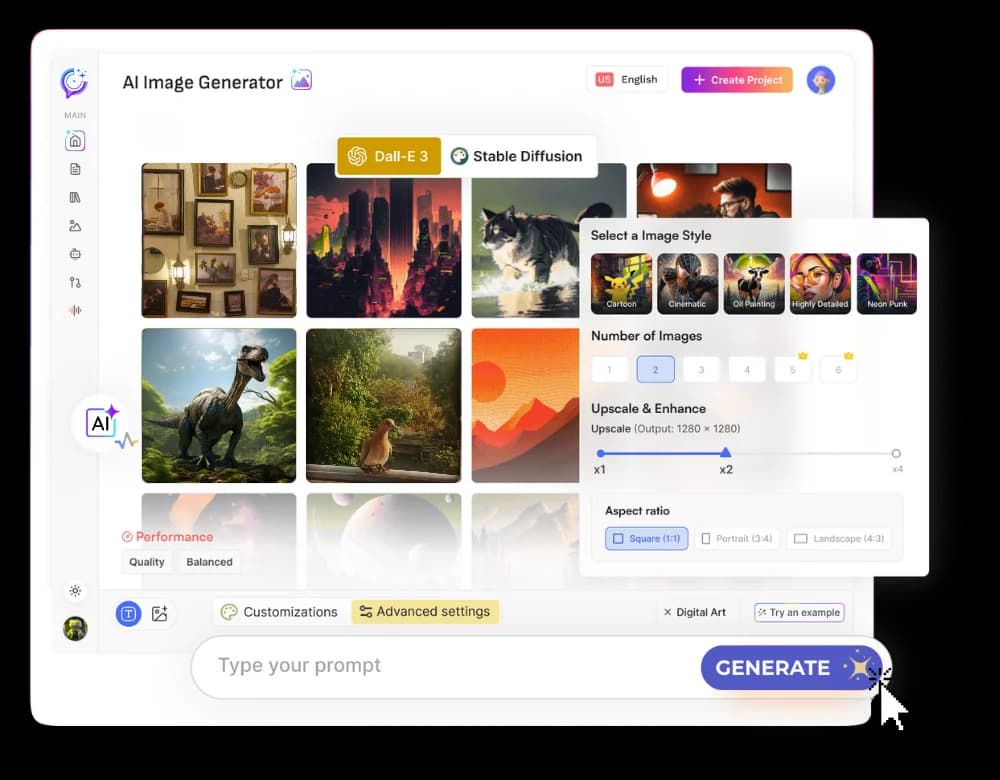
At the heart of its visual capabilities is the AI Image tool. This powerful feature allows you to harness the magic of text-to-image generation. Simply input your descriptive prompts, and Textalky translates them into compelling visuals. Whether you need a specific illustration for a blog post, a unique graphic for social media, or a concept image for a new project, the AI Image tool delivers.
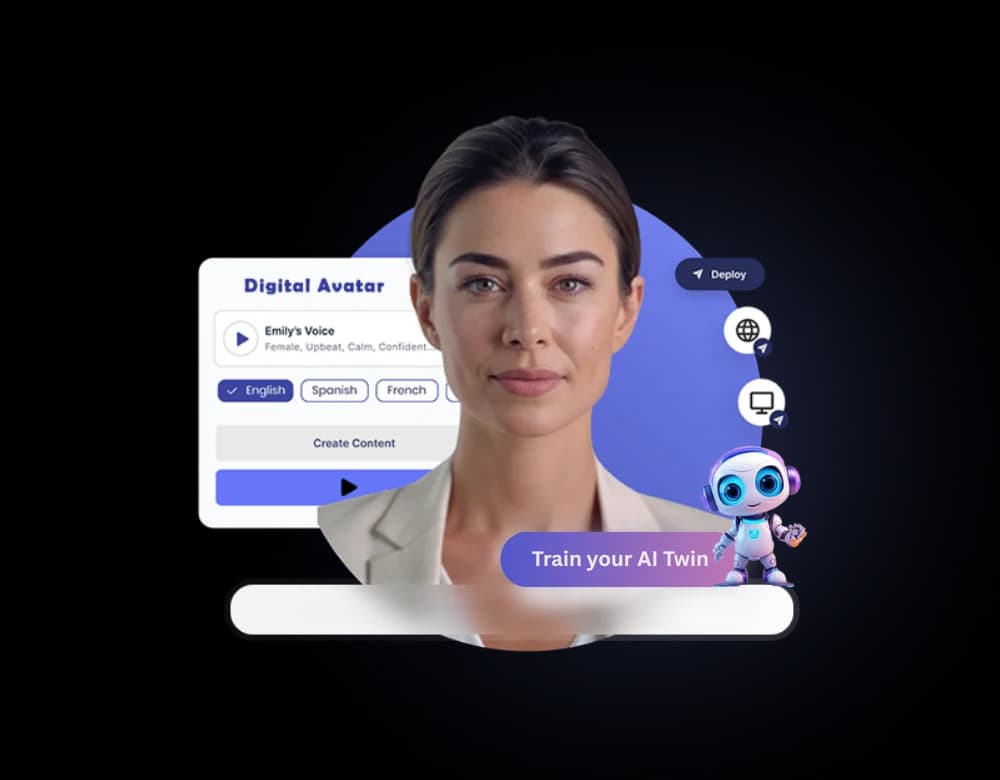
But Textalky's visual offerings don't stop there. The platform also includes AI Avatars, enabling you to create custom AI-powered characters for explainer videos, virtual presentations, or other dynamic content. This dual power - generating static images and dynamic avatars - makes Textalky a versatile visual asset creator.
The true advantage of Textalky lies in its all-in-one studio approach. Imagine generating an image with the AI Image tool, then immediately using that image as a thumbnail for a video created with Textalky's AI video features, or incorporating it into a blog post written by the AI Writing Editor. This seamless integration saves time and eliminates the friction of transferring assets between disparate applications. It's about creating a cohesive workflow where your ideas can flow from text to image to video and beyond, all within a single, intuitive interface.
Pricing and Access: Get Started with AI Visuals
Textalky believes in providing a complete creative suite without the complexity of multiple subscriptions. Our pricing philosophy is built around offering access to a wide array of AI tools, including powerful visual generation capabilities, at clear and straightforward price points. You can explore all the details on Textalky's pricing page.
For creators looking for the ultimate value and unlimited access to all tools, including AI Image generation, the AI Lifetime Pro deal is an exceptional opportunity. This is a one-time payment that grants you lifetime access to the studio's features, with generous monthly quotas for writing, voiceover, media credits, and transcription. It’s designed for those who want to integrate AI creation deeply into their workflow without ongoing subscription fees. You can learn more about this featured offer at AI Lifetime Pro deal.
If a subscription model better suits your needs, Textalky offers various plans. As a special promotion, you can currently access the AI Explorer annual plan for a significantly reduced price. This plan provides substantial monthly allowances for all core tools, including AI Image generation, plus helpful integrations like WordPress publishing. This offer is available for a limited time and can be found at AI Explorer annual plan.
Whether you choose the lifetime deal or a subscription plan, Textalky provides powerful AI visual creation tools as part of a comprehensive creative suite.
Frequently asked questions
What is text-to-image AI and how does it work?
Text-to-image AI is a technology that generates images based on written descriptions, called prompts. It works by using complex machine learning models trained on vast amounts of image and text data. When you provide a prompt, the AI interprets it and creates a visual output that matches your description.
How can I write effective prompts for AI image generators?
To write effective prompts, be specific about the subject, action, style, mood, composition, and lighting you desire. Include detailed descriptions and keywords that guide the AI towards your intended outcome. Experimentation with different phrasing is also key.
What are the best use cases for AI-generated images?
AI-generated images are ideal for marketing visuals, social media content, concept art, website graphics, personal projects, enhancing presentations, and game development asset creation. They democratize visual creation by making unique imagery accessible without specialized skills or expensive tools.
Is Textalky's AI Image tool included in the Lifetime Pro deal?
Yes, Textalky's AI Image tool is included as part of the AI Lifetime Pro deal, which offers lifetime access to all the tools within the studio.
Ready to transform your ideas into stunning visuals? Explore the power of AI-driven creativity with Textalky. For the ultimate value and lifetime access to our complete AI creative studio, check out the AI Lifetime Pro deal today.
Ready to try it yourself?
Create a free Textalky account - no credit card required - and put this into practice.
Start creating for free