Clone Your Voice with AI: A Step-by-Step Guide
Discover the power of AI voice cloning to create your unique digital voice. This guide walks you through the simple steps to get started.
8 min read · September 4, 2026
Clone Your Voice with AI: A Step-by-Step Guide
Creating consistent, personalized audio for your content can be a significant challenge. Whether you're a podcaster needing a reliable narrator, a marketer aiming for brand voice consistency, an educator developing e-learning modules, or a creator looking to build unique audio personas, hiring human voice actors can be expensive and time-consuming. The need for a readily available, controllable, and unique voice is a recurring problem for many content creators. Fortunately, AI voice cloning offers a powerful solution.
What is AI Voice Cloning and Why Use It?
AI voice cloning is a technology that allows you to create a synthetic digital replica of a human voice. By analyzing a sample of a person's speech, AI algorithms can learn the unique characteristics of their voice - pitch, tone, accent, and cadence - and then generate new speech in that voice. This process is often referred to as text to speech, but with the added dimension of personalization.
The benefits for content creators are substantial:
- Personalization: Imagine narrating your audiobook in your own voice, or having a virtual assistant that speaks with a familiar, comforting tone. AI voice cloning makes this possible, adding a deeply personal touch to your content.
- Consistency: Maintaining a consistent voice across multiple episodes of a podcast, a series of marketing videos, or an e-learning course can be difficult with human actors who may have off days or deliver slightly varied performances. An AI-cloned voice offers perfect consistency every time.
- Efficiency and Cost Savings: Professional voice actors command significant fees. AI voice cloning, once set up, allows you to generate unlimited audio content without recurring per-project costs. This dramatically speeds up production workflows and reduces overall expenses.
- Accessibility: For individuals who may have speech impediments or have lost their voice, AI cloning can provide a way to communicate using a familiar and comfortable voice.
- Creative Exploration: It opens up new avenues for creative expression, allowing you to develop distinct audio characters or experiment with different vocal styles for specific projects.
The ability to AI Voice Cloning is no longer science fiction; it's a practical tool available today.
Getting Started: What You Need
Before you can clone a voice, you need a good source audio sample. The quality of this sample directly impacts the quality of the cloned voice. Here’s what to keep in mind:
- Clear Audio Sample: The AI needs to hear the nuances of the voice clearly. This means the recording should be free from background noise, echo, and distortion.
- Sufficient Length: While some AI models can work with very short samples, longer, more varied recordings generally yield better results. A few minutes of clean speech is ideal. The more data the AI has, the better it can learn the voice’s unique characteristics.
- Consistent Tone and Delivery: Ideally, the audio sample should feature a relatively neutral and consistent tone. While the AI can learn to replicate different emotions later, starting with clear, standard speech makes the initial cloning process more robust. Avoid excessive mumbling, shouting, or speaking too quickly.
- Quality Recording Environment: Record in a quiet space. A room with soft furnishings (like a carpeted room with curtains) can help reduce echo. Using a good quality microphone will also make a significant difference. Avoid using built-in laptop microphones or low-quality phone recordings if possible.
- Clear Pronunciation: The speaker should articulate their words clearly. This ensures the AI can accurately capture phonemes and pronunciations.
Step-by-Step: Cloning Your Voice with Textalky
Textalky, an all-in-one AI creative studio, simplifies the voice cloning process, integrating it into a single, user-friendly interface. Here’s how you can clone your voice using Textalky:
- Sign Up or Log In: If you don't already have an account, sign up for Textalky. You can start with the free plan to explore features, or choose a paid plan for full access to advanced tools like voice cloning. Log in to your dashboard.
- Navigate to the AI Voice Cloning Feature: Within the Textalky dashboard, locate the "AI Voice and Sound" section. You should find an option for "AI Voice Cloning" or a similar label. Click on it to enter the voice cloning module.
- Upload Your Audio Sample: You will be prompted to upload your pre-recorded audio file. Ensure it meets the quality standards discussed earlier. Textalky will process this file to extract the vocal characteristics. The platform typically supports common audio formats like MP3 or WAV.
- Train the AI Model: Once uploaded, Textalky's AI will begin analyzing your audio sample. This training process involves sophisticated algorithms identifying the unique patterns in your speech. The duration of this step can vary, but Textalky is designed for efficiency. You might see a progress indicator as the AI learns your voice.
- Generate Your Cloned Voice: After the training is complete, your voice will be cloned. You can then access this cloned voice within Textalky's text-to-speech engine.
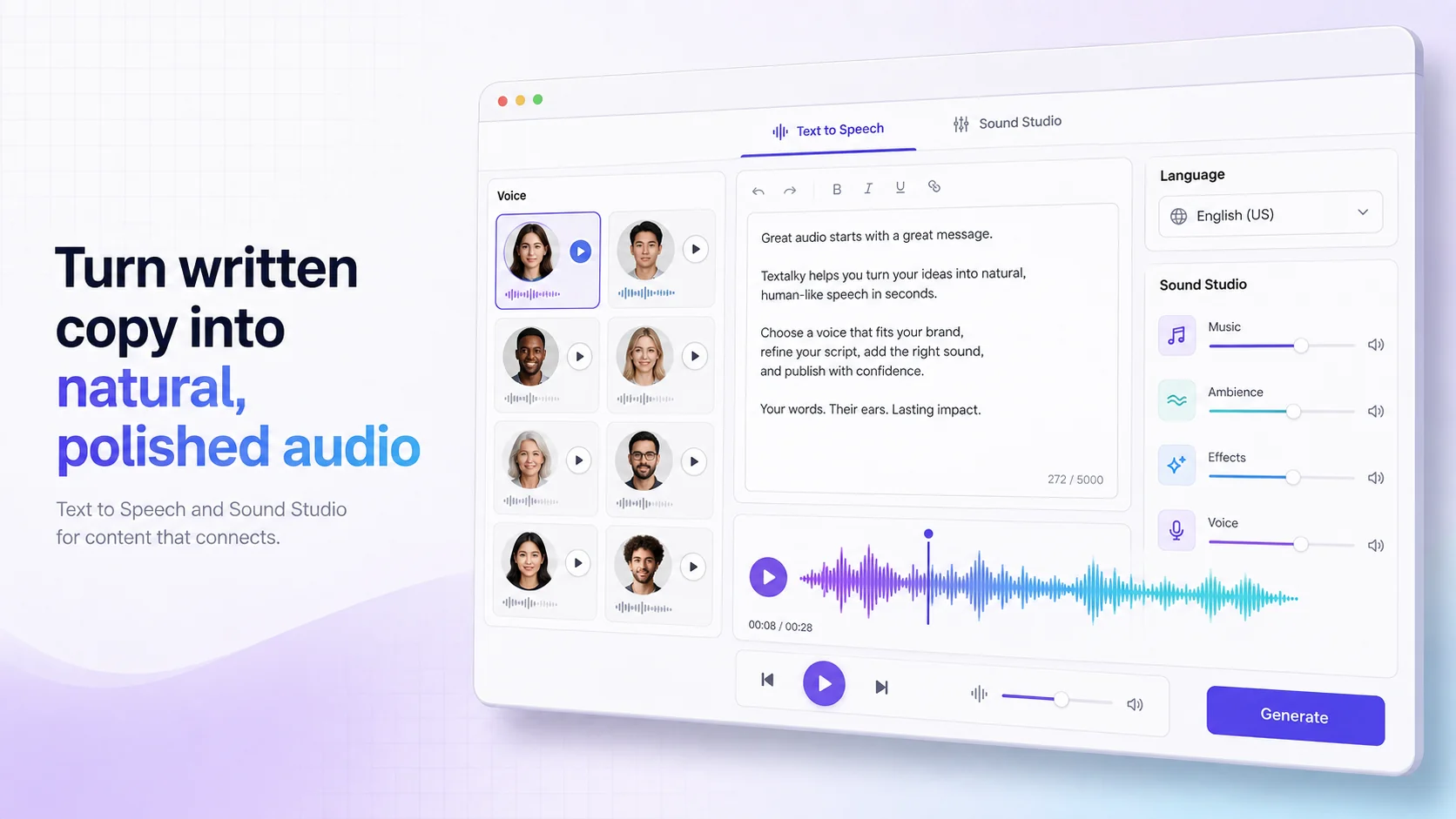
- Use the Text-to-Speech (TTS) Engine: Go to the "AI Voiceover" or "AI Writing Editor" section. Select your newly cloned voice from the available voice options.
- Input Your Text: Type or paste the script you want your cloned voice to read.
- Generate Audio: Click the generate button. Textalky will process your text and produce an audio file featuring your cloned voice. You can then download this audio file for use in your projects.
The beauty of using an all-in-one AI studio like Textalky is that all these tools - recording quality assessment, AI training, and text-to-speech generation - are integrated. You don't need to stitch together multiple services. For a more detailed walkthrough, you can find a step-by-step guide on our blog.
Using Your Cloned Voice Effectively
Once you have your cloned voice ready, the possibilities for its application are vast. Here are some practical ways content creators can leverage AI voice cloning:
- Narration and Audiobooks: Produce professional-sounding narration for your books, articles, or even entire audiobooks. This is perfect for those who want to maintain their own voice for their published works.
- Podcast Production: Create consistent intros, outros, segment transitions, or even full podcast episodes. This is ideal for solo podcasters or those looking to add a distinct audio signature to their show. Explore podcast narration capabilities.
- E-learning and Training Materials: Develop engaging and personalized voiceovers for online courses, tutorials, and corporate training modules. A familiar voice can make learning more accessible and relatable.
- Marketing and Advertising: Generate AI voiceovers for commercials, explainer videos, and social media content. Maintain a consistent brand voice across all your marketing efforts.
- Virtual Assistants and Chatbots: Power your customer service chatbots or internal virtual assistants with a unique, branded voice. This can enhance user experience and brand recognition.
- Personalized Messages: Create custom audio greetings for clients, personalized video messages, or even unique outgoing voicemail greetings.
- Gaming and Entertainment: Develop unique character voices for games, animations, or other creative media projects.
The key is to match the voice to the content and audience. While a cloned voice can be highly versatile, consider the tone and style that best suits your project.
Ethical Considerations and Best Practices
AI voice cloning is a powerful technology, and like any powerful tool, it comes with ethical responsibilities. It's crucial to use this technology responsibly and transparently.
- Consent is Paramount: Never clone someone's voice without their explicit, informed consent. This applies to friends, family, colleagues, and public figures alike. Unauthorized cloning can lead to privacy violations and legal issues.
- Transparency: Be upfront with your audience when using AI-generated voices. If you're narrating a book with your cloned voice, it’s good practice to mention it. If a chatbot is using a cloned voice, clearly label it as an AI. This builds trust and manages audience expectations.
- Avoid Misuse: Do not use AI voice cloning for malicious purposes such as creating deepfakes, spreading misinformation, impersonating others for fraudulent activities, or generating non-consensual content.
- Understand Platform Terms: Familiarize yourself with the terms of service of any platform you use for voice cloning, including Textalky. These terms often outline acceptable use policies.
- Data Security: Be mindful of where you upload your voice samples. Reputable platforms will have robust security measures to protect your data.
Responsible use ensures that AI voice cloning remains a beneficial tool for creativity and communication, rather than a source of harm or deception.
Frequently Asked Questions
How long does it take to clone a voice with AI?
The time it takes to clone a voice can vary depending on the AI model and the quality/length of the audio sample provided. With Textalky, the process is designed to be efficient, often taking just a few minutes for the AI to analyze the sample and create the clone once the audio is uploaded. Generating new audio from the cloned voice using text is typically very fast.
What kind of audio quality is needed for AI voice cloning?
High-quality audio is essential for accurate voice cloning. This means the recording should be free from background noise, echo, distortion, and other audio artifacts. A clear, crisp recording with good articulation will yield the best results. Using a decent microphone in a quiet environment is highly recommended.
Can I clone someone else's voice?
You can technically clone someone else's voice with AI, but you absolutely must have their explicit, informed consent to do so. Cloning and using someone's voice without their permission is unethical and potentially illegal, violating their privacy and likeness rights. Always prioritize obtaining consent.
What are the ethical implications of AI voice cloning?
The primary ethical implications revolve around consent, privacy, and the potential for misuse. Unauthorized cloning can lead to impersonation, the spread of misinformation through deepfakes, and the violation of an individual's right to control their own voice. Transparency about the use of AI-generated voices is also a key ethical consideration to maintain trust with audiences.
Your Complete AI Creative Studio Awaits
The ability to clone your voice and generate professional audio content on demand is a powerful asset for any creator. From personalizing your brand to streamlining production, AI voice cloning offers a flexible and efficient solution.
If you're looking for a comprehensive suite of AI tools that includes voice cloning, writing, image generation, video creation, and more, all within a single subscription, Textalky is designed for you. Instead of juggling multiple subscriptions, you can access everything you need to bring your creative projects to life.
For a limited time, you can get lifetime access to the full Textalky studio with the AI Lifetime Pro deal for a one-time payment of $79. This offer includes all tools and monthly quotas to power your creative endeavors indefinitely. Explore the possibilities and elevate your content creation workflow.
Ready to try it yourself?
Create a free Textalky account - no credit card required - and put this into practice.
Start creating for free